

Best WiFi Smart Lock with No Hub: What to Look for in 2026
You want the convenience of a smart lock—locking your door from the beach or letting in a dog walker from your office. But the thought of adding another complicated hub or bridge to your router is a major turn-off. You're in the right place. Choosing the best WiFi smart lock with no hub means getting that true remote access without the extra clutter.
This guide cuts through the marketing noise. We'll dive into the top no-bridge smart lock models for 2026, but more importantly, we’ll tackle the critical trade-offs you need to consider. We’re talking about real-world battery life and connection stability—the two biggest headaches users complain about online. By the end, you'll be able to confidently pick a reliable hubless smart lock that actually makes your life easier.
Why Go Hubless? The Real Pros and Cons of Direct WiFi Smart Locks
Direct-to-WiFi smart locks are surging in popularity, and for good reason. They promise a simpler path to a smarter home. But it's essential to understand both sides of the coin before you buy. Here’s the deal on what you gain and what you give up.
The Upside: Simplicity and True Remote Access

The main advantage is streamlined setup and use. With a smart lock with built-in WiFi, you don't need to purchase or configure a separate bridge. This not only saves you money but also reduces a potential point of failure in your smart home system.
The result is seamless remote control right out of the box. As long as your lock is connected to your home's WiFi, you can manage access, check its status, and receive notifications from anywhere in the world with an internet connection. This is the core value that makes these locks so appealing.
The Downside: The Critical Challenge of Battery Drain
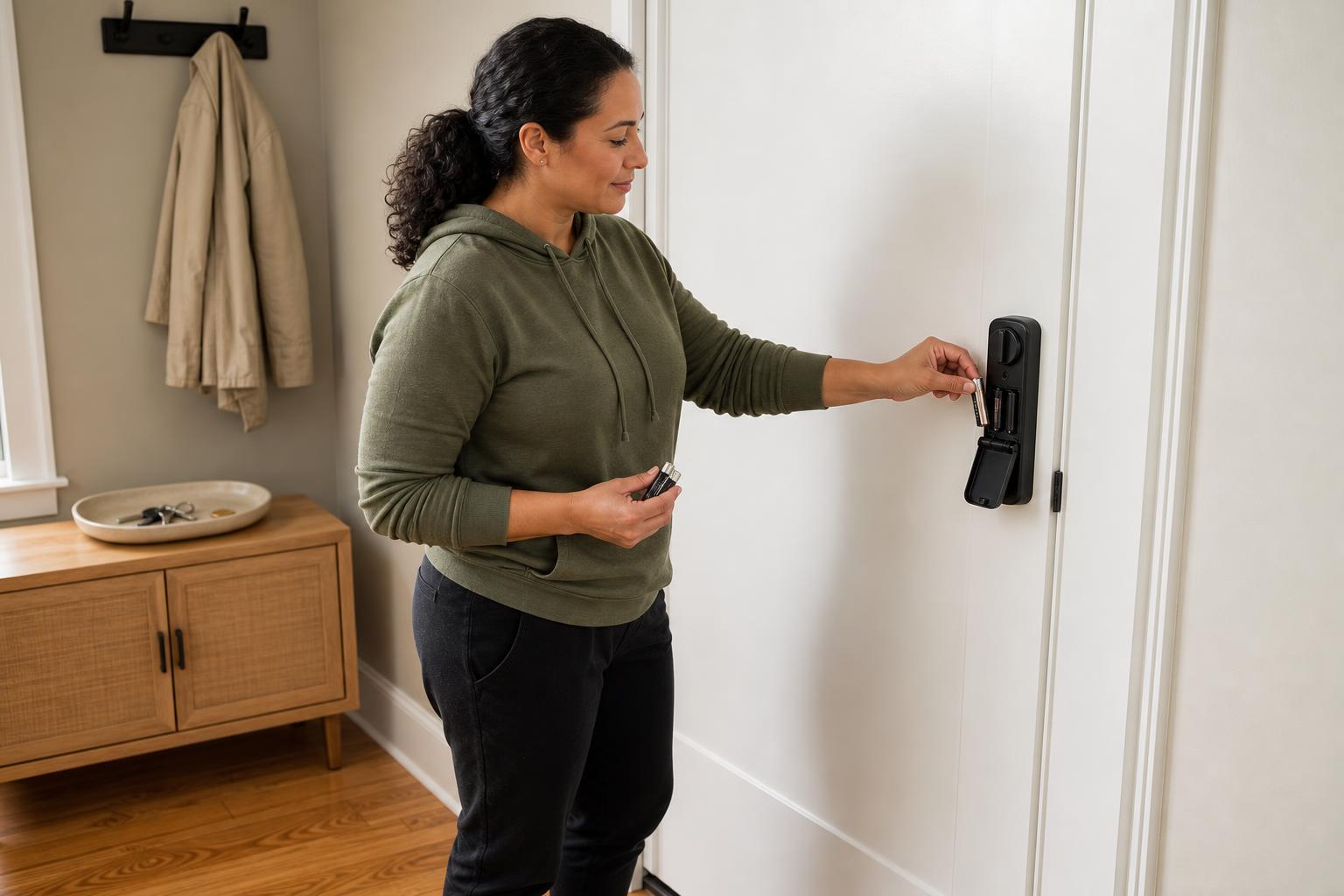
Let's be real: that direct WiFi connection comes at a cost, and that cost is battery life. The WiFi radio is the most power-hungry component in a smart lock. While brands may advertise up to a year of battery life, real-world usage often tells a different story.
User reports frequently highlight this frustration. For instance, many owners of the popular Schlage Encode Plus find themselves changing batteries every 3-4 months, not the officially stated six. In more extreme cases, some Eufy S230 users on Reddit have reported batteries dying in just a few weeks. Be prepared for more frequent battery swaps compared to Bluetooth-only or Z-Wave models. This is a common issue for many users, and it's worth understanding why some smart lock batteries drain so fast.
Comparing the Top Hub-Free WiFi Smart Locks of 2026
The market is full of options, but a few key players consistently rise to the top in performance, features, and user satisfaction. To help you choose, we've broken down the leading models. This comparison focuses on the most important factors for a hubless experience.
Decision Matrix: 2026's Best Hubless Smart Locks at a Glance
This table gives you a quick overview of the top contenders. Use it to see how they stack up on the features that matter most to you, from raw security to smart home integration.
| Model | Security Grade | Key Features | Reported Battery Life | Price Range | Best For |
|---|---|---|---|---|---|
| Schlage Encode Plus | ANSI Grade 1 | Apple Home Key, Built-in WiFi | 3-6 months (up to 1yr w/ Thread) | $300+ | Apple Ecosystem & Max Security |
| Yale Assure Lock 2 | ANSI Grade 2 | Modular Design, Sleek Look | 3-5 months (with WiFi module) | $250 - $300 | Smart Home Versatility |
| Eufy Security S230 | BHMA Grade 3 | Fingerprint Scanner, Rechargeable Battery | Highly variable (1-12 months) | $150 - $200 | Feature-Rich Value |
| Ultraloq U-Bolt Pro WiFi | ANSI Grade 1 | Fingerprint, Keypad, Compact | 4-6 months | $200 - $250 | Durability and Multi-Access |
| Wyze Lock Bolt v2 | Not Rated | Fingerprint, Budget-Friendly | ~8 months (fewer features) | Under $100 | Budget-Conscious Buyers |
In-Depth Look: Who Should Buy the Schlage, Yale, or Eufy?
Based on the data, your best choice depends on your priorities. If you live in the Apple ecosystem and demand the highest level of residential security, the Schlage Encode Plus with its ANSI Grade 1 rating and Apple Home Key support is a clear winner.
For those who value design flexibility and want a lock that can adapt to their evolving smart home, the Yale Assure Lock 2 is an excellent pick. Its modular approach means you can upgrade it over time, and it fits beautifully into almost any home aesthetic.
If you're looking for the most bang for your buck, the Eufy S230 is hard to beat. It packs in features like a fingerprint scanner and a rechargeable battery at a very competitive price, making it ideal for users who prioritize convenience and value.
Beyond the Brand: 4 Factors to Scrutinize in a No-Hub Smart Lock
A flashy brand name doesn't always guarantee a great experience. To make a truly informed decision, you need to look past the marketing and evaluate the core technology and features. Here are four critical factors to investigate before you click "buy."
How Much Security Do You Really Need? Understanding ANSI/BHMA Grades
The ANSI/BHMA rating tells you how much physical abuse a lock can take. Grade 1, found on models like the Schlage Encode Plus and Ultraloq U-Bolt Pro WiFi, offers commercial-level security tested for extreme force and hundreds of thousands of cycles. It’s the best you can get for a home.
Grade 2, used in the Yale Assure Lock 2, is considered robust and more than sufficient for most residential settings. Grade 3, found on the Eufy S230, provides basic security. Consider your neighborhood and personal security needs to decide which grade gives you the right peace of mind.
Is the App an Asset or an Annoyance?
Your smart lock is only as good as its app. A clunky, unstable app can turn a convenient device into a daily frustration. Users frequently post on forums about issues like the August app having frequent connection dropouts or the Lockly app being difficult to navigate.
Look for an app with consistently high ratings that offers intuitive controls for guest access, temporary codes, and activity logs. A stable app is non-negotiable for a reliable smart lock. If you run into issues, check out some common smart lock troubleshooting tips for help.
Will It Be Obsolete in a Year? The Rise of the Matter Protocol
The Matter protocol is a universal language for smart home devices, and it's a big deal for future-proofing your investment. A lock that supports Matter will work seamlessly with Apple Home, Google Home, Amazon Alexa, and other platforms.
This prevents you from being locked into a single ecosystem and ensures your lock will remain compatible with new devices for years to come. As you shop in 2026, prioritizing models that support Matter is a smart move.
Real-World Headaches: Common WiFi Smart Lock Problems & How to Avoid Them
Reading reviews is one thing; living with a device is another. We've combed through Reddit threads and support forums to find the most common wifi smart lock problems users face. Here's how to spot them before they become your problem.
Solving Unstable Connections and Draining Batteries
The most frequent complaint is an unstable WiFi connection, which defeats the purpose of a remote-access lock. Some August WiFi smart lock users report being unable to connect even via Bluetooth when standing right at their door. Before buying, test your WiFi signal at your front door; you need a strong, stable signal (ideally better than -67 dBm) for reliable performance.
To combat battery drain, consider a lock with multiple connection options. The Schlage Encode Plus, for example, supports Thread—a low-power mesh network. Users report its battery life can extend to over a year when using Thread instead of WiFi, offering the best of both worlds.
Avoiding Physical Failures and Installation Nightmares
A smart lock is still a physical lock, and mechanical failures can happen. Some owners of the Eufy S230 have reported issues like the keypad peeling off or the deadbolt getting stuck. Often, these problems stem from a poor installation, not a faulty product.
The single most important step for a successful DIY installation is ensuring your door and frame are perfectly aligned. A misaligned deadbolt causes friction, which can strain the motor, drain the battery, and eventually lead to mechanical failure. Double-check your alignment or follow our easy DIY installation guides carefully.
FAQ: Your Questions on Hubless WiFi Smart Locks Answered
Here are quick answers to the most common questions we see about smart locks that connect directly to WiFi.
- What happens to a WiFi smart lock if the internet goes down? Your remote access and notifications will stop working, but the lock itself will function normally. You can still use the keypad, fingerprint scanner, or a physical key to get inside.
- How often do you really have to change the batteries? It depends heavily on the model and how often you use it, but expect anywhere from 3 to 8 months for most WiFi locks. Heavy usage or a weak WiFi signal will drain them faster.
- Is a Grade 1 smart lock necessary for a home? For most homes, an ANSI/BHMA Grade 2 lock is perfectly adequate. Grade 1 provides the highest level of security and durability, offering maximum peace of mind for those who want it.
- Which is better: Schlage Encode Plus or Yale Assure Lock 2? It's a matter of priority. Schlage leads in top-tier security (Grade 1) and deep integration with the Apple ecosystem. Yale offers more design flexibility and a modular system that works well across various smart home platforms.
- Do all no-hub smart locks support Matter? No, not yet. However, it is quickly becoming a key feature for 2026 and beyond. We recommend choosing a Matter-compatible model to ensure your lock stays relevant in the future.
- Can I install a smart lock myself? Absolutely. Most are designed for DIY installation and take less than an hour. The key is ensuring your door's deadbolt hole and strike plate are perfectly aligned to prevent mechanical strain.
Making Your Choice: Which No-Hub WiFi Lock is Right for You?
Choosing the best wifi smart lock no hub involves balancing cutting-edge convenience with the practical realities of battery life and physical security. After weighing the options, your decision can be simplified based on your primary needs.
For the Apple Enthusiast: The Schlage Encode Plus is the undisputed choice, with its best-in-class security and seamless Apple Home Key support. For the All-Around Smart Home: The Yale Assure Lock 2 offers unmatched versatility and design to fit any ecosystem. For the Best Value Seeker: The Eufy S230 provides an impressive suite of features, including a fingerprint reader, at a price that's hard to ignore.
Ultimately, the right lock is one that fits your lifestyle, integrates with your existing tech, and gives you confidence every time you leave the house. Armed with this knowledge, you're ready to make a smart choice.
For a model that balances these core features—offering robust security, multiple access methods, and a simple hub-free setup—consider the SAWHERO A1 Smart Fingerprint Door Lock. It's designed for exactly this kind of reliable, everyday convenience.
Ready to find the perfect fit? Explore SAWHERO's range of reliable smart locks today and simplify your home access.


